
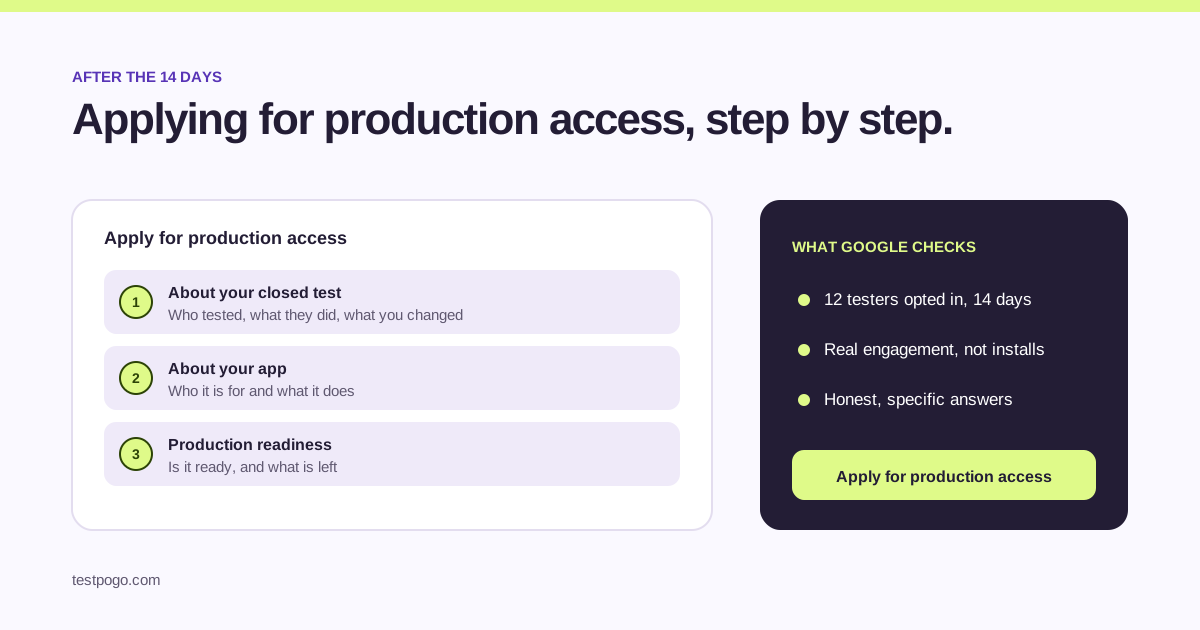
When can you apply for production access?
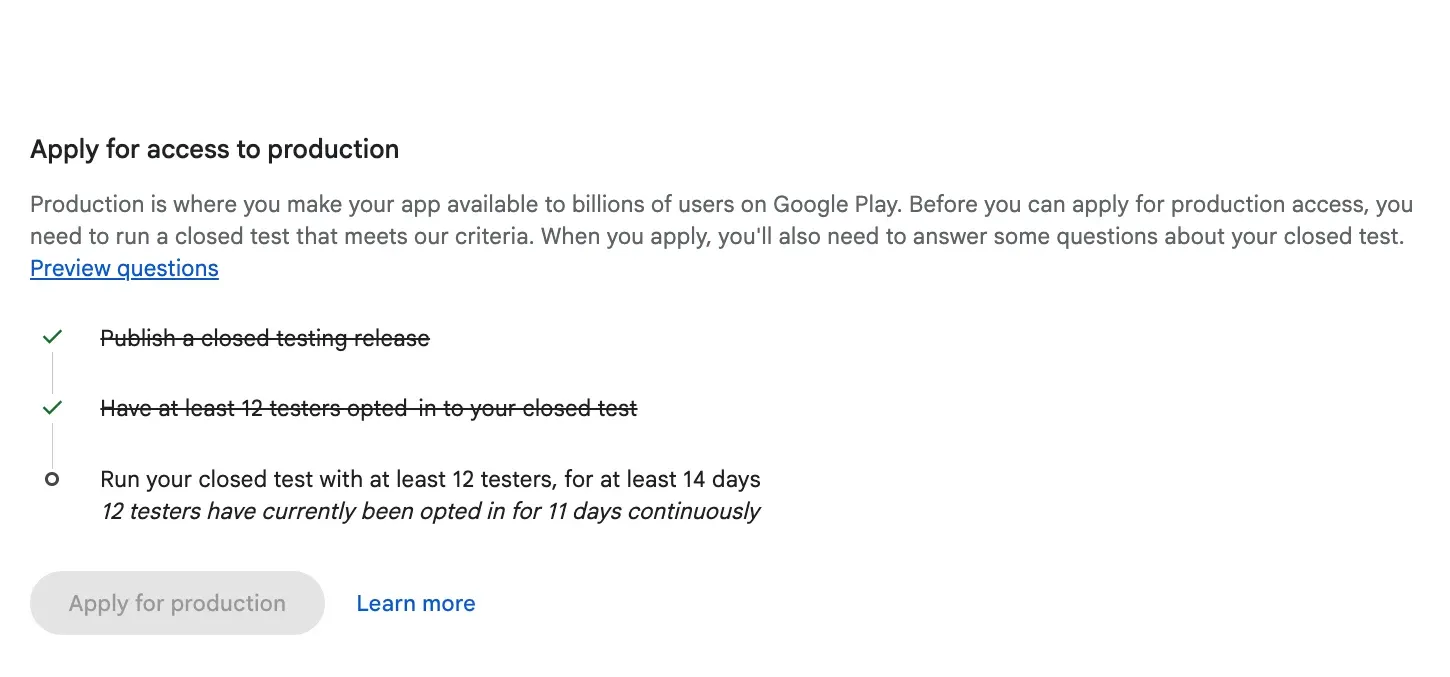
You can apply once your closed test has had at least 12 testers opted in for 14 days in a row. Play Console tracks this for you: your app’s dashboard shows the closed testing task with a checklist, and the button to apply for production appears when the requirement is met.
If the button is not there yet, do not guess. Open the checklist. It tells you whether you are short on testers, short on days, or both.
What does Google ask in the application?
The application has three parts, and each one is a short set of questions with free-text answers.
- About your closed test: how you found your testers, how many took part, how they used the app, what feedback you got and what you changed because of it.
- About your app: who it is for, what it does, and how it is different from what is already on the Play Store.
- Production readiness: whether the app is ready for everyone, and what you still plan to work on.
How should you describe your closed test?
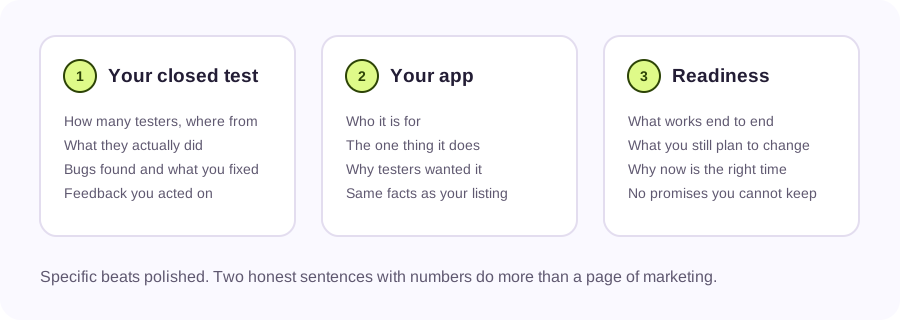
Write it the way you would tell a friend who asked how it went. How many people, where they came from, what they did in the app, what broke and what you fixed. Numbers help: 15 testers, 14 days, 3 bugs found, 2 fixed, 1 deferred.
If you used a service like TestPogo to find testers, say so. Google asks how you recruited, not whether you did it alone. What matters is that real people used your app and you can describe what happened.
Do not copy answers from a template or another app. Reviewers read a lot of these, and generic text is one of the clearest signs that the test was not real.
How should you describe your app and its readiness?
For the app: one sentence on who it is for, one on what it does, one on why someone would pick it. Keep it consistent with your store listing, because the reviewer can see both.
For readiness: say what works end to end today and what you still plan to change. Nobody expects a first release to be finished. They expect you to know what is and is not done.
How long does Google take to decide?
Google does not publish a fixed review time for production access. Plan for days rather than hours, and keep your testers opted in while you wait. If Google asks you to keep testing, you want the clock still running rather than starting from zero.
Why does Google reject production access?
Google names two reasons when it asks developers to continue testing: too few opted-in testers, and too little tester engagement. In practice a third one shows up often: answers so vague that the reviewer cannot tell what the test involved.
| What Google says | What it usually means | What fixes it |
|---|---|---|
| Not enough testers | Fewer than 12 were opted in for the whole 14 days, often because people dropped out | Get back above 12, ideally 15, and run the 14 days again |
| Insufficient tester engagement | Testers installed the app but barely opened it | Give testers tasks, check in daily, replace anyone who goes quiet |
| Keep testing, no detail | Your answers did not show what testers did or what changed | Rewrite with numbers, specific bugs and fixes, then reapply |
What does insufficient tester engagement mean?
It means the people on your closed test were not really using the app. They opted in, maybe installed it, and then nothing. Google looks at usage across the 14 days, so twelve installs on day one and silence afterwards reads as no engagement.
The fix is boring and it works: give testers something to do each day, a short task list, a way to report what they found, and a build that does not crash on the first screen. Then check who is actually opening the app and replace the ones who are not.
What should you do after a rejection?
If you would rather not run the second round alone, TestPogo’s 15-tester plan gives you 15 real people for 14 days, initial-use evidence and retention confirmation, and a written feedback report you can quote in the application. Rejection-related refunds and retests are not included in Standard.
- Read Google’s message properly. It tells you which of the reasons applies.
- Keep your closed test running. Do not remove testers or the track; their days keep counting.
- Fix the cause: more testers opted in, real daily use, or clearer answers.
- Collect evidence as you go: what testers did, what they reported, what you changed.
- Apply again with the new facts in your own words.
Can you skip the application?
Not on a personal developer account created after November 2023. Organisation accounts follow a different path, and apps that are already live are not affected by updates. For everyone else, the closed test and the application are the route to production.
Common questions
Can someone else apply for production access for me?
No. The application is submitted from your own Play Console account, and the answers should be yours. A service can supply testers and a report you quote from, but you apply.
Do I have to keep testers opted in after I apply?
Yes, keep them opted in until Google decides. If Google asks you to continue testing, a running closed test means you add days rather than restart from zero.
Can I update my app while waiting for a decision?
Yes. You can keep publishing builds to the closed track while the application is under review. Keep the changes small so your answers still describe the app the reviewer sees.
Does a rejection hurt my developer account?
A request to keep testing is not a policy strike. It is Google saying the test did not show enough yet. Fake testers or emulators are a different matter and can put the account at risk.
Should I use a template for the answers?
No. Templates are the fastest way to a vague answer, and vague answers are a common reason for a rejection. Two specific sentences with numbers beat a page of copied text.
How many times can I apply?
Google does not publish a limit. Each time you apply after a rejection, apply with something new to say: more testers, more use, or clearer answers.
Does TestPogo’s feedback report help with the application?
That is what it is for. It lists what testers did, the bugs they found with steps to reproduce, and what they expected instead, in sections you can quote directly in the closed test part of the application.
15 real testers, ready within 48 hours.
From $5 per app. Pick a plan and share two links.