
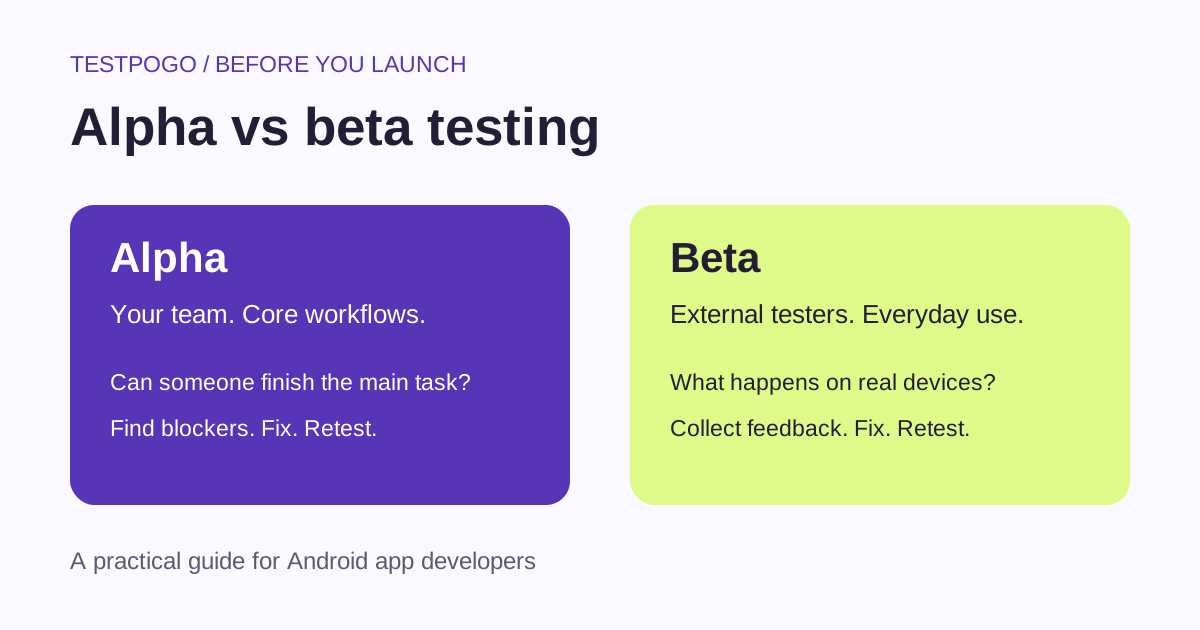
What is the difference between alpha and beta testing?
Alpha testing usually means checking an app with the people building it before inviting external users. Beta testing puts a usable version in the hands of people outside that team to learn what happens in everyday use. Alpha generally comes first; feedback from either stage can send a build back for fixes.
The distinction is about the audience and purpose, not a special file format. Teams use the labels differently, so write down who will test, what they should try and what would stop you from releasing.
Alpha vs beta testing at a glance
Neither stage proves that an app has no bugs. Use both alongside the automated tests and specialist checks your product needs.
| Question | Alpha testing | Beta testing |
|---|---|---|
| Who participates? | Usually developers and internal QA | External testers or prospective users |
| Where does it happen? | Conditions the team can reproduce and inspect | Users’ devices and everyday environments |
| What is the main goal? | Check core behavior and resolve blockers | Learn from real use, feedback and device differences |
| How ready is the build? | Ready for the team to exercise key workflows | Usable enough for outsiders to complete meaningful tasks |
| What happens next? | Fix issues, retest, then invite external users | Review feedback, fix issues and decide whether to expand or release |
What to check during alpha testing
For a small Android app, start with a repeatable pass through the main user journey. The following is a suggested checklist; add checks for the features and risks your app actually has.
- Install a fresh build and finish onboarding with a new account, not your developer account.
- Complete the main task from beginning to end. Check that the result is saved after restarting the app.
- Deny optional permissions. Check that the explanation and recovery path still make sense.
- Try empty fields, invalid input, slow responses and interrupted connections.
- Test sign-out, password recovery and account deletion if the app provides them.
- For paid features, use the payment provider’s supported test setup to exercise success, cancellation and failure.
- Record the build, device, steps, expected result and actual result for each issue.
- Retest fixes and the neighboring workflows before inviting more people.
When is a build ready for beta?
Set a release gate before you recruit people. A reasonable starting point is that a new tester can install the build, sign in and complete its central task without you intervening. There should be no known blocker that makes that task impossible.
Do not send a build with known data-loss or privacy problems to external users just because it is labeled beta. Limit access, use appropriate test data and resolve those issues first. A beta label is an expectation-setting tool, not a substitute for care.
- The installation and invitation links have been checked with an eligible non-owner account.
- The main workflow passes on the devices you have available.
- Known limitations are written in plain language.
- Testers have a short task list and a working way to report problems.
- You can identify which build a report describes and deliver a corrected build.
- You have decided which issues block release and who will review the feedback.
How to get useful beta feedback
Give testers an outcome to achieve, not a script that reveals every answer. For the shopping-list example, “share a list with someone and use it during your next shop” tells you more about usability than “tap this button, then this button.”
Ask for a short report: the task, device and Android version, build number, what happened, what they expected and the steps to reproduce it. Screenshots can help, but ask people to remove personal information before sharing them.
Keep a simple issue log with severity, owner and retest status. A useful rule is to resolve blockers first, investigate repeated confusion next, and review feature requests against the purpose of the app. After a fix, ask affected testers to try the same task again.
Successful installation and a large tester count are not enough to judge readiness. Look for completed tasks, understandable feedback and evidence that important fixes worked.
How alpha and beta relate to Google Play testing tracks
Alpha and beta describe testing stages. Google Play’s internal, closed and open tracks control how a build is distributed. An internal track can support an alpha-style check; a closed track can distribute a beta to a selected audience. These are practical uses, not exact equivalents.
Google’s current requirement for personal developer accounts created after November 13, 2023 is a closed test with at least 12 testers opted in continuously for 14 days before applying for production access. Internal testing does not satisfy that requirement. Meeting the threshold allows an application; it does not guarantee approval.
How long should alpha and beta testing take?
There is no universal duration for either stage. Plan around the workflows you need to check, the risk of failure and the time users need to encounter realistic situations. A shopping-list test needs an actual shopping trip; a monthly reporting feature needs a way to exercise the reporting cycle.
Google’s 14-day rule is a specific eligibility requirement for affected accounts. It is not a general definition of beta testing or proof that every app is ready on day 15. If important issues remain, keep testing and retest your fixes.
Which should you do first as a solo developer?
Do a focused alpha pass yourself, then recruit people who do not already know the app. Being a solo developer makes an outside perspective especially useful: you know where the buttons are and may unconsciously avoid awkward paths.
You can recruit beta testers through your existing users, personal network, developer exchanges or a paid service. Choose people who can exercise your real use case, and explain the expected effort before they join.
TestPogo coordinates Android testers for Google Play closed testing. Once your build and access links are ready, you can review our plans. You still own the fixes, release decision and production-access application.
- Flagsmith: alpha and beta testing
- Google Play: testing tracks
- Google Play: new personal account requirements
The example and checklists above are suggested workflows, not customer results.
Common questions
Does alpha testing come before beta testing?
Usually, yes. Check the core workflows and fix blocking issues before inviting external users. After beta feedback leads to changes, repeat the relevant internal checks and have testers verify the fixes.
Can a beta test be private?
Yes. A closed beta limits participation to a selected group. An open beta allows a broader audience to join. Pick the access model that fits the feedback you need and the platform’s requirements.
Are alpha testing and internal testing the same?
Not exactly. Alpha describes a testing stage; internal testing is also the name of a Google Play distribution track. You can use that track for internal checks, but selecting it does not determine how thoroughly the app has been tested.
Is beta testing the same as A/B testing?
No. Beta testing evaluates a prerelease product with users. A/B testing compares variants, such as two onboarding flows, against a defined outcome. You can run an experiment during a beta, but the terms describe different activities.
Does completing beta testing guarantee Google Play approval?
No. For affected personal accounts, the closed-testing requirement is one step before applying for production access. Google reviews the application, and your app must also meet applicable Play policies.
15 real testers, ready within 48 hours.
From $5 per app. Pick a plan and share two links.